What Er03 means on your Asko cooktop (asko cooktop er03)
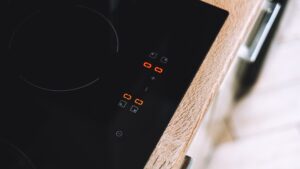
Er03 belongs to the E/Er-series induction family used on the Asko HI1621G, a different generator platform from the F-series HI1655M — the two families do not share codes, so a technician reading Er03 needs to know they are on an E/Er-series board, not an F-series one. The manual’s stated cause is that the control panel is dirty or has water on it, shown together with a continuous beep, and the fix is simply to clean the control panel. This is the E-series equivalent of an accidental-contact problem: it reflects something on the surface of the glass, not a failure inside the appliance.

Symptoms
The list below helps you separate this problem on your Asko cooktop from other problems that can look almost identical. Your cooktop might show just one of these signs or several at once, creeping in over several cycles or appearing suddenly after a power cut, a heavy load, a spill, or recent installation work.
- Er03 appears on the display along with a continuous beep tone.
- The problem often follows a spill, wipe-down, or steam settling on the control area.
- Zones may not respond to touch while the code is showing.
- The code clears as soon as the panel is dried and cleaned.
Common causes
A single set of symptoms on your Asko cooktop can come from any of the causes below, listed with the common ones first. Eliminating them methodically separates the quick checks anyone can make on a cooktop from the problems that need trained diagnosis and Asko parts.
- Water or condensation sitting on the control panel — a boil-over, steam, or a wet cloth left on the glass.
- Grease or food residue built up on the touch strip — a film that the sensors register as continuous contact.
- A cleaning product residue left on the panel — some residues can interfere with capacitive touch sensing until fully wiped away.
- A damp cloth left resting on the controls after cleaning — ongoing moisture contact rather than a single spill.
Troubleshooting steps you can try
Before calling anyone out, run through these checks on your Asko cooktop in sequence, as a fair number of problems clear at this stage. Draw the line wherever you feel out of your depth on the cooktop, or where mains power, gas, heat, water, or a sealed component comes into play, and let a technician finish.
- Turn the hob off if it has not already stopped responding.
- Wipe the entire control panel dry with a clean, dry cloth, including the edges near the glass trim.
- Check for any grease film and clean with a glass-safe cleaner made for induction surfaces, then dry thoroughly.
- Wait a moment for the panel to fully dry before touching any control.
- If Er03 persists on a clean, dry panel, treat it as a touch-sensor issue rather than moisture.
Parts a technician may replace
Where the problem on your Asko cooktop traces to hardware, a technician inspects, tests, or replaces the touch control panel first. Each is matched to your cooktop by model, serial, and Art. No., and genuine OEM or trusted-supplier components are used so the cooktop performs as it should.
When to call a technician
A technician checks individual touch zones on a clean, dry panel for false triggering if Er03 continues to appear with no moisture or residue present. This problem sits at Low severity, so your Asko cooktop is safe to leave for now; if Er03 keeps returning on the cooktop despite the steps above, get a technician to establish the cause before ordering parts. Your Asko cooktop is handled independently — we have no affiliation with Asko, Gorenje, or Hisense — by experienced technicians using genuine OEM or trusted-supplier parts, with 30 days of labor warranty on the cooktop. Booking is quicker if you can read your Asko cooktop’s model, serial, and Art. No. off the rating plate first — that lets us match the right part for the cooktop up front and clear Er03 without repeat visits.
Related help and Asko resources
If Er03 keeps returning on your Asko cooktop after these checks, book Asko cooktop repair, browse our full set of cooktop error-code guides, work through our step-by-step repair guides, schedule service online, or find help near you on our locations page. Your Asko cooktop’s full documentation and model lookup are available from the manufacturer at global.asko.com.