What Touch Panel Unresponsive means on your Asko cooktop (asko cooktop touch panel unresponsive)
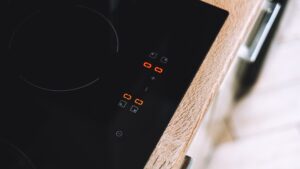
This is a symptom write-up rather than a coded problem, though it sits close to the documented Er03 code on the E/Er-series family, which explicitly names a dirty or wet panel as a cause. If no code appears on the display at all while the panel is unresponsive, the same moisture or residue causes still apply — they simply have not triggered the formal problem display. Checking the panel surface itself is the fastest way to rule out the most common cause before assuming a hardware problem.
Symptoms
The list below helps you separate this problem on your Asko cooktop from other problems that can look almost identical. Your cooktop might show just one of these signs or several at once, creeping in over several cycles or appearing suddenly after a power cut, a heavy load, a spill, or recent installation work.
- Touching any control produces no response, no beep, and no change on the display.
- The panel may work intermittently, responding to some touches but not others.
- No error code appears on the display despite the lack of response.
- The issue may follow a recent spill, cleaning, or steam exposure near the controls.
Common causes
Because different problems can present the same way on your Asko cooktop, the list is arranged from most likely to least. Working down it in order keeps a simple cooktop check distinct from a problem that genuinely needs a technician and the correct Asko part.
- Water, condensation, or steam on the panel surface — the same underlying condition documented for the Er03 code on the E/Er-series family.
- Grease or cleaning-product residue on the touch strip — a film interfering with capacitive touch sensing.
- A locked control panel setting — the hob’s own lock function engaged intentionally or accidentally.
- A failing touch sensor board — less common, but possible if the panel stays unresponsive after cleaning and unlocking.
Troubleshooting steps you can try
Try these checks on your Asko cooktop in the order given before you call for service, since the early ones often settle the matter. Stop the moment you are unsure, or where mains voltage, gas, a hot cavity, water, or a sealed component is involved on the cooktop, and leave the rest to a qualified technician.
- Wipe the entire panel dry with a clean, soft cloth, including the edges near the trim.
- Check whether a child lock or control lock feature has been engaged and follow the unlock sequence in the owner’s manual.
- Clean the panel with a glass-safe cleaner to remove any grease residue, then dry thoroughly before retrying.
- Power-cycle the hob at the breaker if the panel remains unresponsive after cleaning.
- Book a technician if the panel stays unresponsive on a clean, dry, unlocked surface.
Parts a technician may replace
Where the problem on your Asko cooktop traces to hardware, a technician inspects, tests, or replaces the touch control panel first. Each is matched to your cooktop by model, serial, and Art. No., and genuine OEM or trusted-supplier components are used so the cooktop performs as it should.
When to call a technician
A technician tests individual touch zones for response and, if needed, replaces the touch sensor board once moisture, residue, and lock settings are ruled out. Because the severity is Low, you can take your time with your Asko cooktop; if Touch Panel Unresponsive returns on the cooktop after these steps, though, have a technician verify the cause rather than guessing at parts. Work on your Asko cooktop is independent of Asko, Gorenje, and Hisense; experienced technicians fit genuine OEM or trusted-supplier parts, and the labor on the cooktop is covered by a 30-day warranty. Note down your Asko cooktop’s model, serial, and Art. No. before you call; with those, the part for your cooktop is matched ahead of time and Touch Panel Unresponsive is dealt with in as few visits as we can manage.
Related help and Asko resources
For a Touch Panel Unresponsive that returns on your Asko cooktop, you can book Asko cooktop repair, look through our related cooktop error-code guides, lean on our step-by-step repair guides, schedule service for service, or find your city on our locations page. The maker publishes complete specifications and model information for your Asko cooktop at global.asko.com.